
This guide is for members who already have an account on the ITAA Platform. As a reminder, your ITAA Platform account (part of the ITAA Passport project) is currently used to access the Member Directory and interactive features of The Script.
If you need assistance with other matters, such as accessing the Transactional Analysis Journal (TAJ) or renewing your association membership, please visit the ITAA Contact Us page.
Before you begin
To recover your password, you must have access to the email address used during registration.
Important note: If you cannot remember which email you used, please send us a message here instead of creating a new account. Creating a duplicate account will prevent you from accessing your previous interactions and history on the platform.
How to reset your password
Access the login area Go to any login field on the platform or click the main Login button.
Request a reset link Click on Forgot Password?, enter your registered email address, and click Send Link.
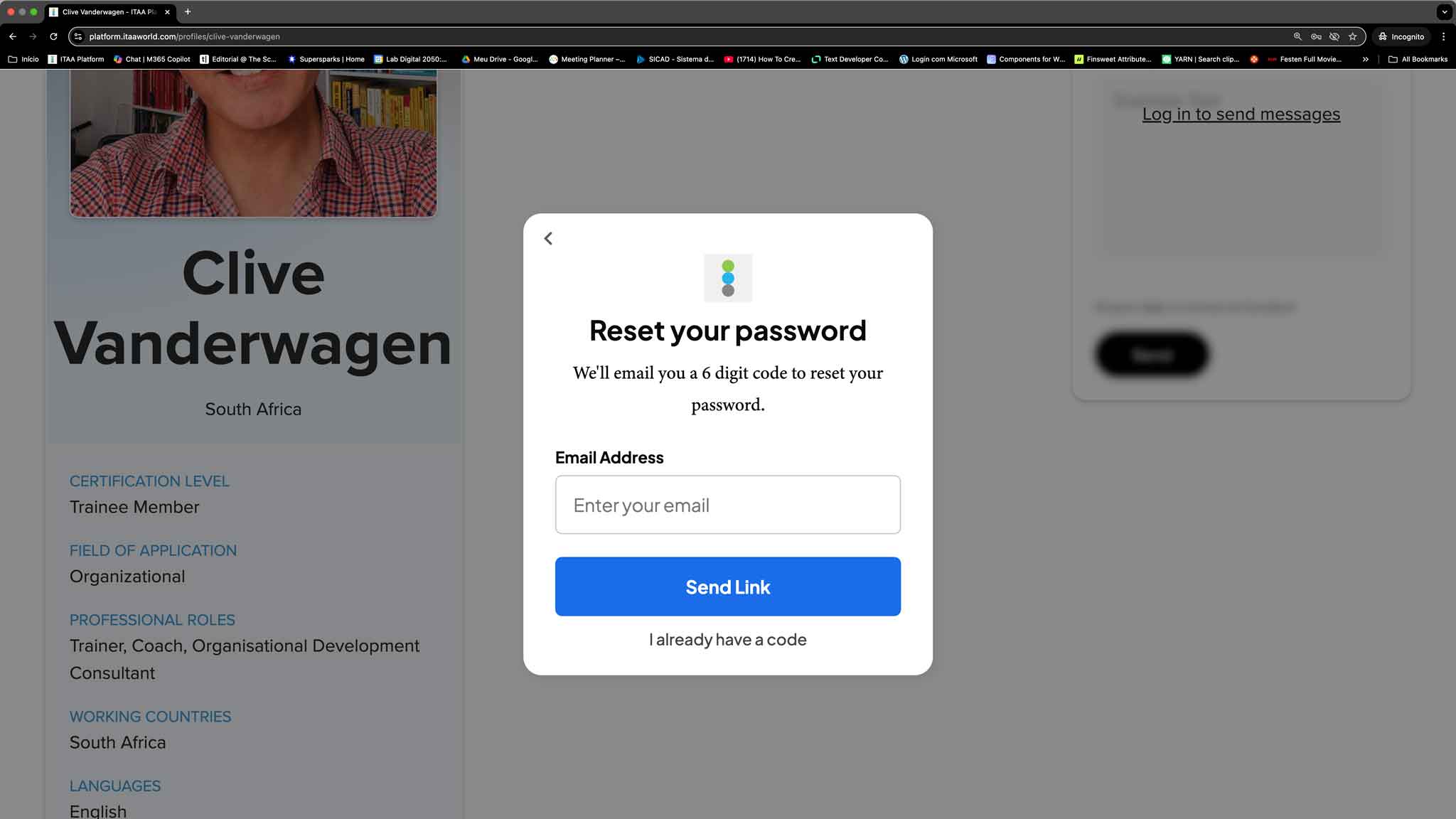
Check your inbox You will receive an email from notifications@itaaworld.com containing a six-digit verification code. This code is valid for one hour.
Enter the verification code Copy and paste (or type) the six-digit code into the password reset page where you made the request.
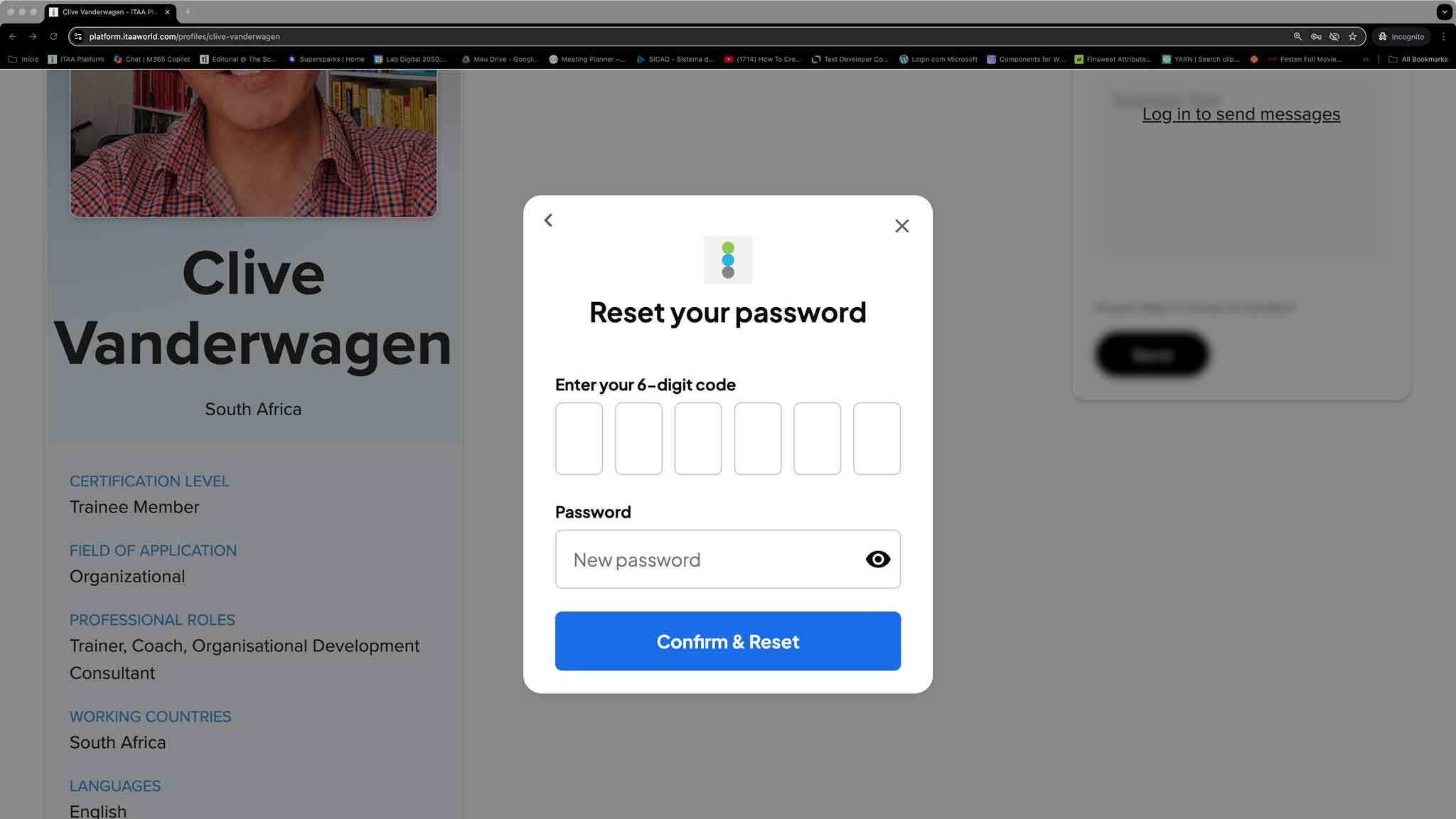
Create a new password Choose your new secure password and confirm it.
Success! Your new password is now active, and you can immediately log in to the ITAA Platform.



