
A great profile picture helps build trust and recognition within the ITAA Platform community. Since your photo is a key part of the Global Directory of Transactional Analysis Professionals, follow these guidelines to ensure you look your best.
Understanding the circular crop
The ITAA Platform automatically crops all profile pictures into a circle. When choosing a photo, select an image where your face is centered. If your face is too close to the edge of the original square or rectangular photo, it may be cut off once the circular frame is applied.
Common mistakes to avoid
To maintain a professional look in the directory, try to avoid these frequent errors:
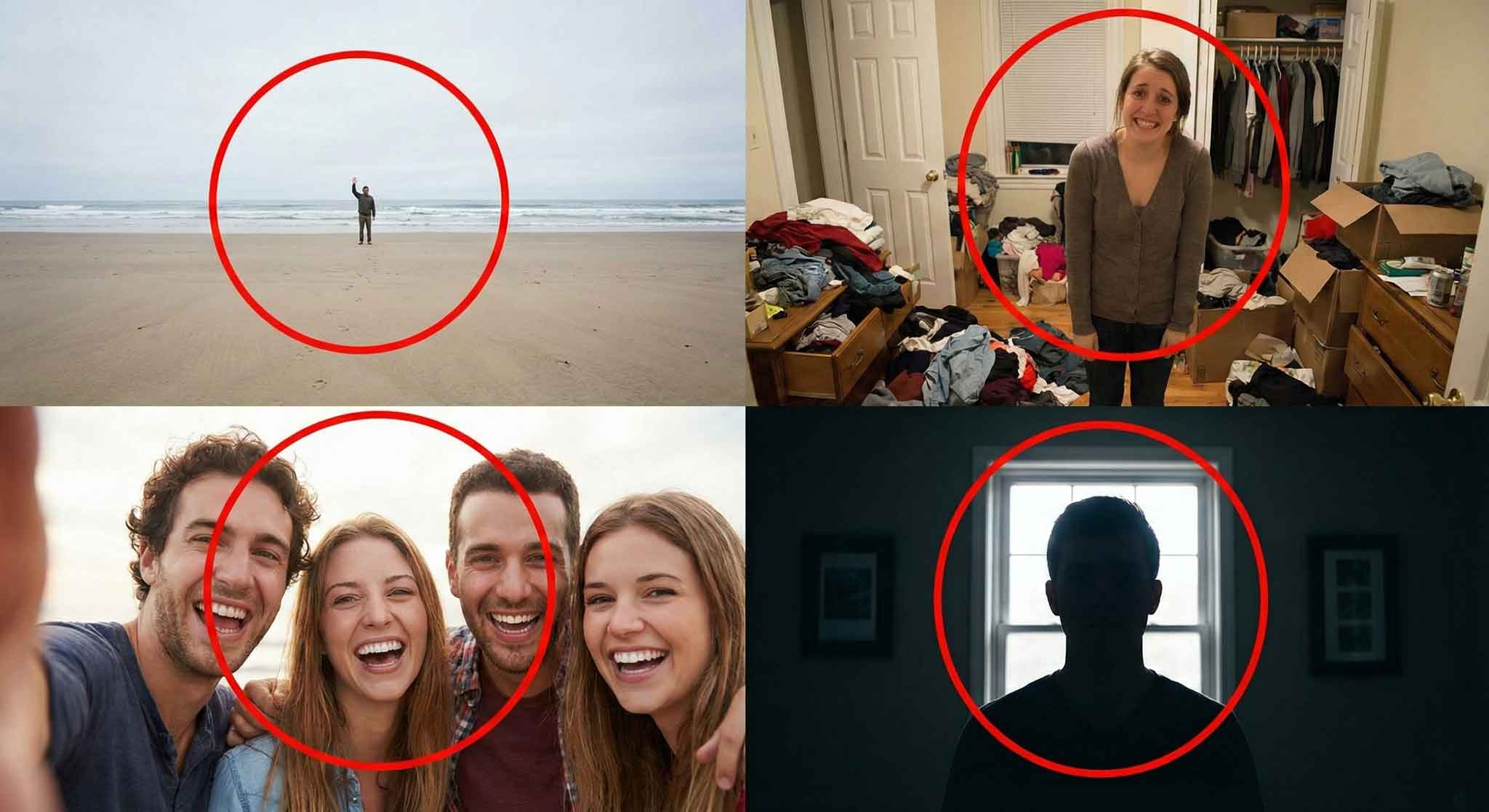
- Photos that are too far away: If you are standing far from the camera, your face will be difficult to recognize in the small directory icon.
- Busy backgrounds: Cluttered or colorful backgrounds can distract from your face. Choose a neutral or simple setting.
- Group photos: Your profile picture should only feature you. Avoid photos where other people have been cropped out partially.
- Low lighting: Ensure your face is well-lit from the front. Avoid heavy shadows or "backlit" photos where the light is behind you.
Technical requirements
To ensure a smooth upload, your file must meet the following criteria:
- File size: The image must be 1 MB or smaller. If your file is too large, you may need to resize it before uploading.
- File formats: We officially recommend using JPEG or PNG for the best results. The platform may accept other formats, but if you encounter an error during upload, please convert your image to JPEG or PNG and try again.
How to upload your photo
- Log in and click your name in the main menu to access Manage everything about you.
- Select the Public profile tab.
- Click the upload area under Profile picture.
- Once the file is selected, remember to click Save at the bottom of the page.
If you have trouble uploading your photo even after checking the file size and format, please contact us through the form on our Help & Support home page.



