
The ITAA Platform is currently in a testing phase. During this period, all registered members can create and publish their professional profiles. Please note that in the future, specific permissions or professional credentials may be required to maintain a listing in the directory.
Before proceeding to the next step, you need to have an active account on the ITAA Platform. If you already have an account, please make sure you are logged in before following the step-by-step instructions. You can do that now. If you do not yet have a dedicated account for the platform, please create one now.
Access your profile settings
Once you are logged in to the ITAA Platform, your name will appear in blue in the main menu on every page.
- Click your Name to go to the Manage everything about you page.
- You will see two sections: Account settings and Public profile.
- Select Public profile to begin.
Fill out the required information
To make your profile visible to the community, you must provide the following details:
- Profile picture: Upload a professional, clear photo of yourself.
- Bio: Write a brief description of your professional background and work.
- Certification level: State your current level of TA certification.
Tip: Click Save after completing each section to ensure your progress is not lost.
Configure your visibility settings
The "magic" of the directory happens in the Visibility settings section. You must manually activate these options for your profile to function correctly:
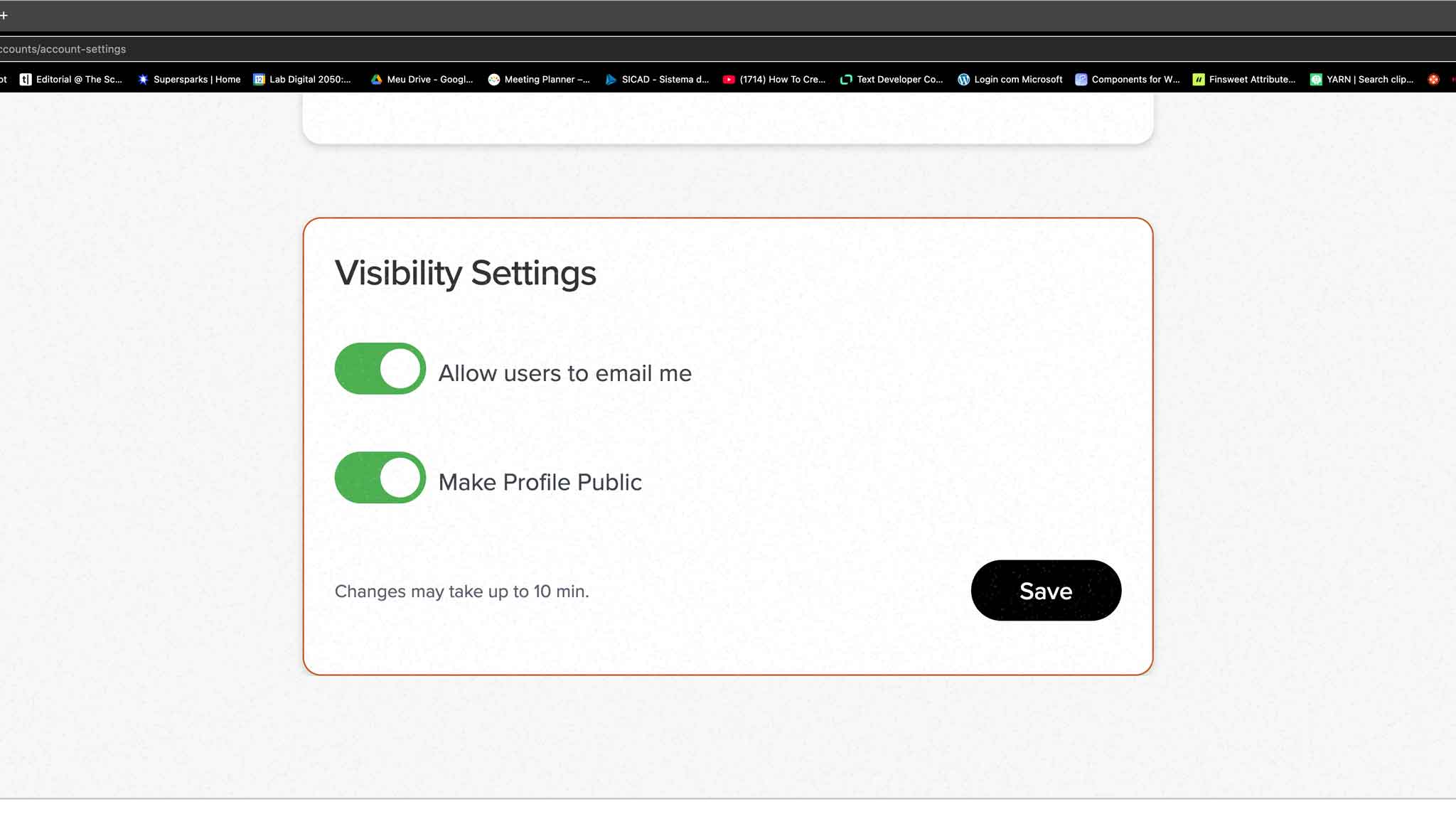
Allow users to email me This allows other logged-in members to send you messages through the platform without seeing your personal email address. This protects your privacy while keeping you reachable.
- Note: When someone messages you, the platform acts as the sender. However, if you reply to that email from your personal inbox, your email address will be revealed to the recipient.
Make profile public Activating this option adds your profile to the Global Directory and makes it searchable for other users. This profile serves as a professional landing page that aggregates your information and directs visitors to your other important links.
Pro-tip for social media
Your ITAA Platform profile is a versatile professional tool. You can use your profile URL as your "link in bio" for social media accounts like Instagram or Facebook to provide a professional overview of your TA expertise.



